
Obiettivi | Certificazione | Contenuti | Tipologia | Prerequisiti | Durata e Frequenza | Docenti | Modalità di Iscrizione | Calendario

Il Corso VMware Cloud Foundation: Deploy, Configure, Manage [V5.2] è pensato per partecipanti con ruoli di system architect o system administrator che intendono acquisire competenze avanzate nel deploy e nell’operatività quotidiana dell’intera piattaforma VMware Cloud Foundation. Vengono approfonditi aspetti architetturali di VCF, il setup di domini di workload tramite SDDC Manager, la gestione di networking NSX avanzato con Tier‑0/1 gateway, routings complessi, spine‑leaf design, insieme alla definizione di network pools e gestione certificati PKI integrata. Il percorso include la gestione dello storage con vSAN, politiche di dedup/compression, stretched cluster per alta disponibilità e business continuity, nonché la manutenzione e lifecycle management tramite vSphere Lifecycle Manager, NSX Upgrade Coordinator e VMware Aria Suite Lifecycle. Particolare rilievo assume il deploy dell’Aria Suite (include Workspace ONE Access) sulla piattaforma VCF e l’integrazione con Private AI Foundation su architettura NVIDIA. Il corso prevede anche attività di troubleshooting con SoS tools, backup/restore e gestione credenziali utente e licenze. Il corso contribuisce alla preparazione dell’esame di Certificazione VMware Certified Professional – VMware Cloud Foundation Administrator (VCP‑VCF Admin).
Contattaci ora per ricevere tutti i dettagli e per richiedere, senza alcun impegno, di parlare direttamente con uno dei nostri Docenti (Clicca qui)
oppure chiamaci subito al nostro Numero Verde (800-177596).
Calling from abroad? Reach us at +39 02 87168254.
Obiettivi del corso
Di seguito una sintesi degli obiettivi principali del Corso VMware Cloud Foundation: Deploy, Configure, Manage [V5.2]:
- Pianificare e automatizzare il bring‑up del management domain e dei workload domains con VMware Cloud Builder e SDDC Manager
- Configurare networking avanzato con NSX, gateway, logical switching, BGP/OSPF routing e network pools
- Implementare storage con vSAN, configurare policy, dedup/compression, scale-out e stretched clusters
- Gestire certificati PKI, licensing, backup/restore e lifecycle management tramite vSphere Lifecycle Manager e NSX Upgrade Coordinator
- Deployare VMware Aria Suite e Workspace ONE, integrare componenti Private AI con architettura NVIDIA e svolgere troubleshooting di piattaforma
Certificazione del corso
Esame VMware Certified Professional – VMware Cloud Foundation Administrator (VCP‑VCF Admin). Questo esame attesta la capacità del candidato di gestire e amministrare in autonomia una piattaforma VMware Cloud Foundation. Durante la prova, l’esaminato deve dimostrare conoscenze avanzate su deployment, configurazione e gestione di management domain e workload domains tramite SDDC Manager, nonché sull’utilizzo e integrazione di componenti come vSphere, vSAN, NSX, e VMware Aria Suite.
I topics testati includono la progettazione e implementazione di network architectures con NSX (logical switching, routing, firewall, network pools), configurazione dello storage con vSAN e policy di data services, l’automazione delle attività di lifecycle management tramite vSphere Lifecycle Manager e NSX Upgrade Coordinator, e l’implementazione di stretched cluster per business continuity. Viene inoltre valutata la capacità di eseguire attività di troubleshooting, backup, restore e gestione delle credenziali di sistema, oltre all’integrazione di soluzioni Private AI Foundation su infrastruttura NVIDIA. La certificazione VMware Certified Professional – VMware Cloud Foundation Administrator si ottiene superando questo esame, fornendo prova concreta di competenze avanzate nell’implementazione, amministrazione e troubleshooting di ambienti VMware Cloud Foundation.
Contenuti del corso
Course Introduction
- Introductions and course logistics
- Course objectives
VMware Cloud Foundation Overview
- Describe the VMware Cloud Foundation solution
- Describe VMware Cloud Foundation components and architecture
- Describe vSphere and VMware Cloud Foundation licensing options
Day Zero Tasks
- Describe the process for planning and preparing a VMware Cloud Foundation design
- Identify the information required for the Planning and Preparation Workbook
- Describe the fully automated deployment process of VMware SDDC components
Post-Deployment Operations
- Use the VMware Cloud Foundation onboarding wizard to complete preliminary SDDC Manager setup tasks.
- Configure user access to VMware Cloud Foundation
- Manage passwords in VMware Cloud Foundation
- Describe password management with SDDC Manager APIs
VMware Cloud Foundation Networking with NSX
- Describe NSX management and control planes
- Explain virtual IP addressing
- Describe logical switching
- Identify NSX Edge functions
- Describe NSX deployment in VMware Cloud Foundation
- Explain how logical routing works in NSX
- Identify NSX Edge functions
- Recognize Tier-0 and Tier-1 gateway topologies
- Describe the spine-and-leaf design
- Describe the multi-NIC design
- Describe NSX Edge node design
- Discuss BGP and OSPF peering with the physical network Describe cluster design and rack design
- Define application virtual networks
- Recognize management domain rack options
- Recognize NSX Edge cluster placement considerations
- Use SDDC Manager to deploy an application virtual network
Managing Workload Domains
- Define the concept of workload domain
- Identify use cases for multiple clusters in a workload domain
- Describe the SSO domain architecture
- Define the concept of a network pool
- Explain how to create, edit, and delete a network pool
- Use SDDC Manager to commission hosts
- Describe workload domain design considerations
- Describe ESXi design considerations for a VI workload domain
- Describe vSphere design considerations for a VI workload domain
- Describe software-defined networking design considerations for a VI workload domain
- Describe shared storage design considerations for a VI workload domain
- Describe how to make workload domain design decisions
- Expand the workload domain
- Perform simultaneous cluster operations
VMware Cloud Foundation Storage Management
- Describe storage options in VMware Cloud Foundation
- Recognize vSAN design considerations
- Identify sizing and performance considerations that impact the storage design
- Recognize vSAN design principles
- Identify components in the vSAN architecture
- Recognize vSAN requirements for the management domain and workload domains
- Define the concepts of deduplication and compression
- Describe how to scale vSAN clusters in VMware Cloud Foundation
Availability and Business Continuity
- Explain the importance of external service availability
- Identify the steps in the SDDC Manager backup and restore process
- Identify the steps in the NSX backup and restore process
- Describe native vSphere availability options
- Describe the stretched cluster architecture and use cases
- List the stretched cluster requirements in VMware Cloud Foundation
- Describe the stretched cluster architecture and use cases
- List the stretched cluster requirements in VMware Cloud Foundation
VMware Cloud Foundation Certificate Management
- Describe public key infrastructure (PKI)
- Explain the purpose of certificate signing requests (CSRs)
- List the available certificate authority (CA) options in SDDC Manager
- Manage certificates in VMware Cloud Foundation
- Integrate SDDC Manager with Microsoft CA and OpenSSL CA
- Install certificates issued by Microsoft CA, OpenSSL CA, or third-party CAs
VMware Cloud Foundation Life Cycle Management
- Describe life cycle management in VMware Cloud Foundation and the software components it supports
- Describe the role of vSphere Lifecycle Manager and ESXi host images in VMware Cloud Foundation
- Describe the role of NSX Upgrade Coordinator in VMware Cloud Foundation
- Describe VMware® Aria Suite Lifecycle™ and its supported products
- Describe the types of bundles and download options available in VMware Cloud Foundation
- Configure SDDC Manager to download VCF online bundles
- Configure a proxy server to download VCF bundles
- Download VMware Cloud Foundation bundles using the Bundle Transfer utility
- Explain the workflow for using vSphere Lifecycle Manager Images in VMware Cloud Foundation
- Create a vSphere Lifecycle Manager image
- Make a vSphere Lifecycle Manager image available in VMware Cloud Foundation
- Configure custom ESXi ISO images and perform firmware upgrades using vSphere Lifecycle Manager
- Explain the upgrade considerations for VMware Cloud Foundation components
- Outline the upgrade precheck process
- Monitor VMware Cloud Foundation updates
- Use the Async Patch Tool to apply patches between BOM releases
VMware Aria Suite on VMware Cloud Foundation
- Describe the VMware Aria Suite architecture running on VMware Cloud Foundation
- Explain the networking prerequisites for deploying VMware Aria Suite on VMware Cloud Foundation
- Describe the steps to install and configure VMware Aria Suite Lifecycle and VMware Workspace ONE®
- Explain the common operational tasks in VMware Aria Suite Lifecycle
- Identify the VMware validated solutions for VMware Aria Suite products
- Describe how to use VMware Aria Suite Lifecycle to deploy and manage VMware Aria Suite products
VMware Private AI Foundation with NVIDIA
- Describe the Private AI Foundation with NVIDIA solution
- Describe the Private AI Foundation with NVIDIA architecture
- Identify Private AI Foundation with NVIDIA components
- Describe VMware Cloud Foundation use cases for machine learning
VMware Cloud Foundation Troubleshooting
- Use the Support and Serviceability (SoS) command line tool to create log bundles, perform health checks, and check password validity
- List the VMware Cloud Foundation services
- Identify the VMware Cloud Foundation log files
- Use token IDs to troubleshoot failed workflows
Tipologia
Corso di Formazione con Docente
Docenti
I docenti sono Istruttori Autorizzati VMware e in altre tecnologie IT, con anni di esperienza pratica nel settore e nella Formazione.
Infrastruttura laboratoriale
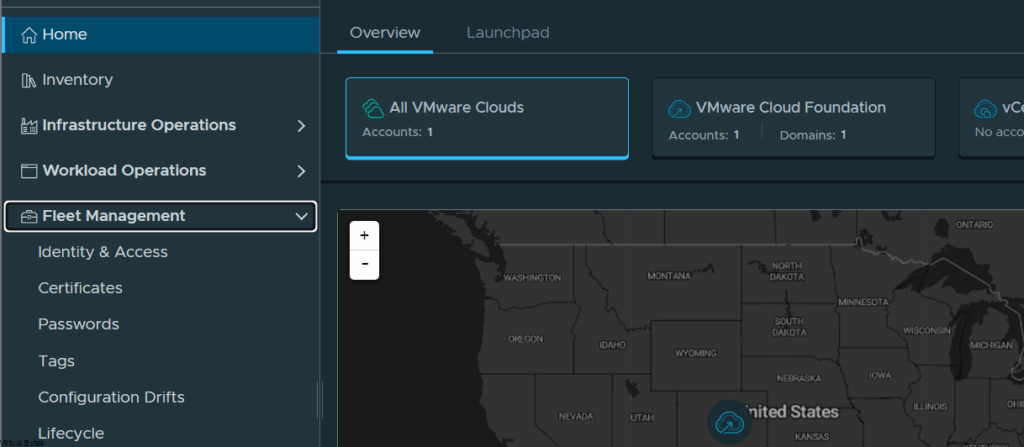
Per tutte le tipologie di erogazione, il Corsista può accedere alle attrezzature e ai sistemi presenti nei Nostri laboratori o direttamente presso i data center del Vendor o dei suoi provider autorizzati in modalità remota. Ogni partecipante dispone di un accesso per implementare le varie configurazioni avendo così un riscontro pratico e immediato della teoria affrontata. Ecco di seguito alcuni scenari tratti dalle attività laboratoriali:
Dettagli del corso
Prerequisiti
- Si consiglia la partecipazione al Corso VMware vSphere: Install, Configure, Manage e il Corso VMware NSX: Install, Configure, Manage
Durata del corso
- Durata Intensiva 5gg;
Frequenza
Varie tipologie di Frequenza Estensiva ed Intensiva.
Date del corso
- Corso VMware Cloud Foundation: Deploy, Configure, Manage [V5.2] (Formula Intensiva) – 15/09/2025 – 09:00 – 17:00 (TD SYNNEX)
- Corso VMware Cloud Foundation: Deploy, Configure, Manage [V5.2] (Formula Intensiva) – 24/11/2025 – 09:00 – 17:00 (TD SYNNEX)
Modalità di iscrizione
Le iscrizioni sono a numero chiuso per garantire ai tutti i partecipanti un servizio eccellente.
L’iscrizione avviene richiedendo di essere contattati dal seguente Link, o contattando la sede al numero verde 800-177596 o inviando una richiesta all’email [email protected].